
Connected Support in Eight Structured Steps
Enable Care 360 brings participants, providers, and organisations into one coordinated system where care, communication, and insight work together seamlessly.
Each step is designed to support person-centred care while simplifying daily operations.
-
Step 1
Organisation & Team Onboarding
Providers set up their organisation before the first participant is onboarded.
- Create the organisation profile and provider details
- Invite coordinators and support workers
- Set roles and access levels
- Configure organisational preferences
The organisation is ready and staffed before support begins.
-
Step 2
Participant Onboarding & Consent
Participants are welcomed into a personalised support environment.
- Assign support team members
- Complete consent and service agreements
- Configure tracking preferences
- Establish communication permissions
Participants remain in control of who can access their information.
-
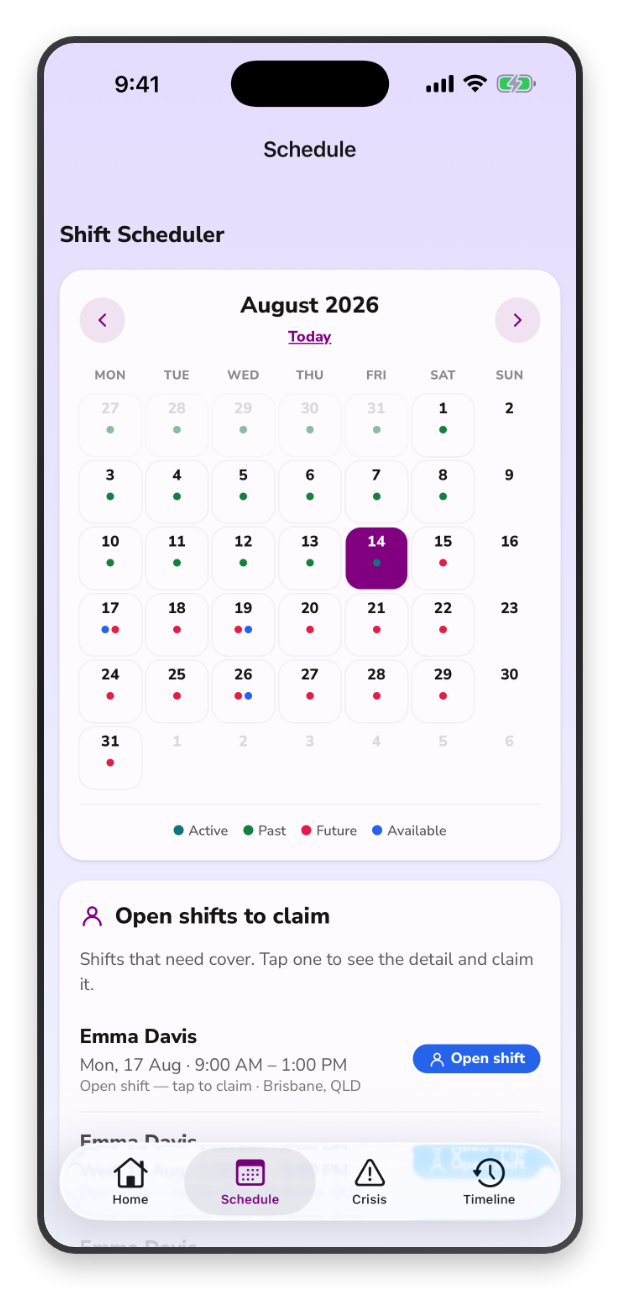
Step 3
Planning, Rosters & Support Activities
Daily support is organised in one shared environment.
- Create shifts and tasks
- Schedule appointments and routines
- Track goals and support plans
- Set reminders and notifications
Everyone involved understands what support looks like each day.
-
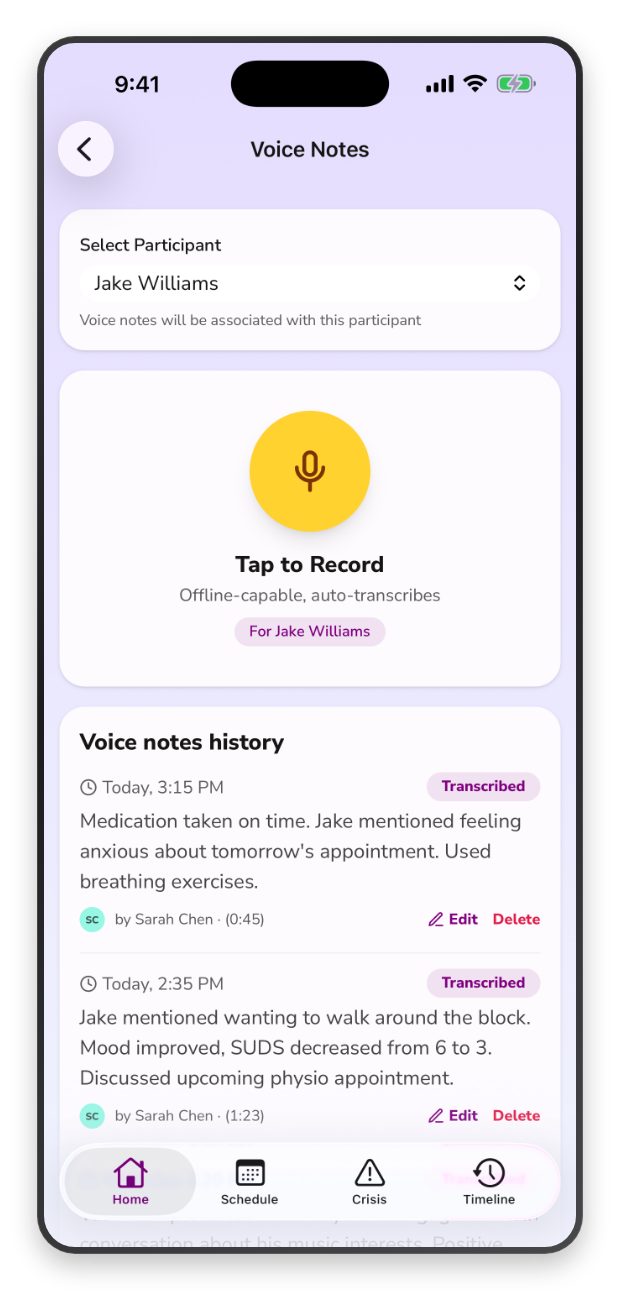
Step 4
Support Delivery & Progress Recording
Support workers capture meaningful information during and after each interaction.
- Record progress notes
- Log observations and wellbeing indicators
- Document strategies and outcomes
- Flag incidents or behavioural concerns
This creates consistent, high-quality records that inform future support.
-
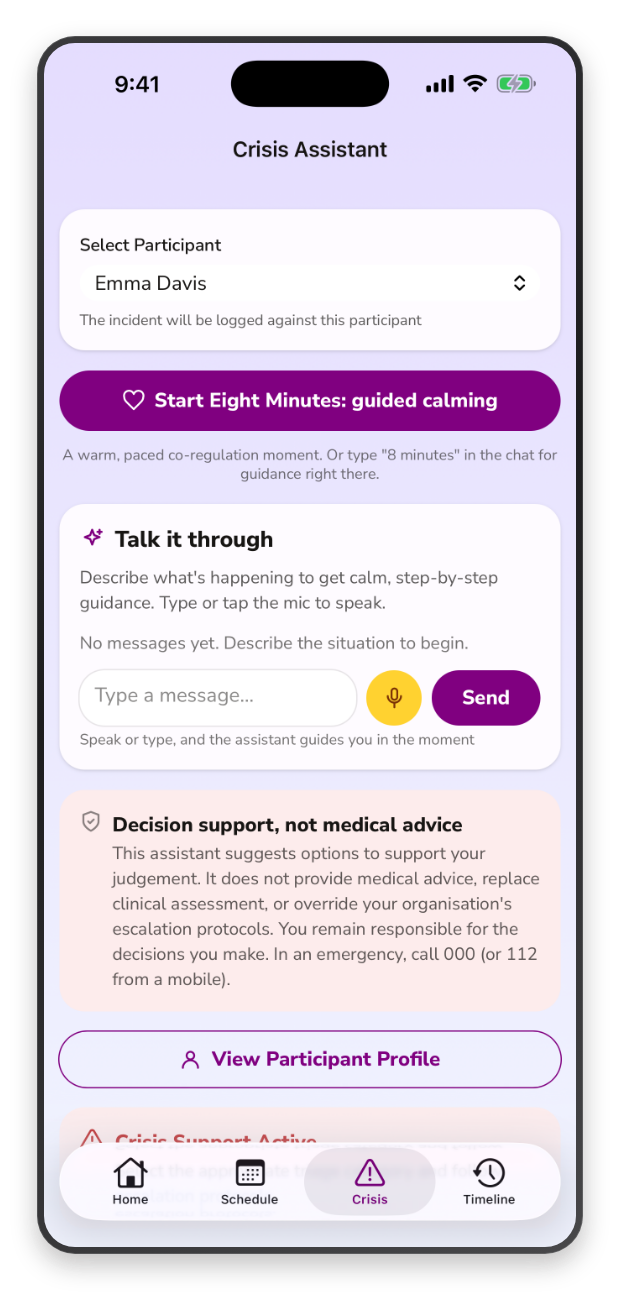
Step 5
AI Learning & Crisis-Aware Support
The system continuously learns from participant data to provide relevant guidance.
- Identifies emerging wellbeing patterns
- Supports early awareness of change
- Provides immediate guidance when distress occurs
- Notifies support teams when assistance is requested
Participants receive support even when their usual network is unavailable.
This guidance is decision support, not medical advice — a qualified member of the participant's support team remains responsible for care decisions.
-
Step 6
Knowledge & Guidance Access
Support workers and teams can access the right information when they need it.
- Search policies and procedures
- Access participant-specific information
- Use de-escalation guidance
- Locate important contacts and appointments
Decision-making becomes faster and more confident.
-
Step 7
Communication & Team Coordination
All updates are shared across the participant's authorised support network.
- Broadcast important updates
- Share progress insights
- Coordinate across providers and clinicians
- Strengthen collaboration across teams
Everyone works with the same understanding of participant needs.
-
Step 8
Approval, Reporting & Integration
Administrative processes are completed efficiently and accurately.
- Review and approve timesheets
- Maintain structured records
- Support compliance reporting
- Export payroll data through system integrations
Operational workflows align directly with participant care delivery.
Four of the eight steps, in the app
Step 3
Planning, Rosters & Support Activities
Step 4
Support Delivery & Progress Recording
Step 5
AI Learning & Crisis-Aware Support
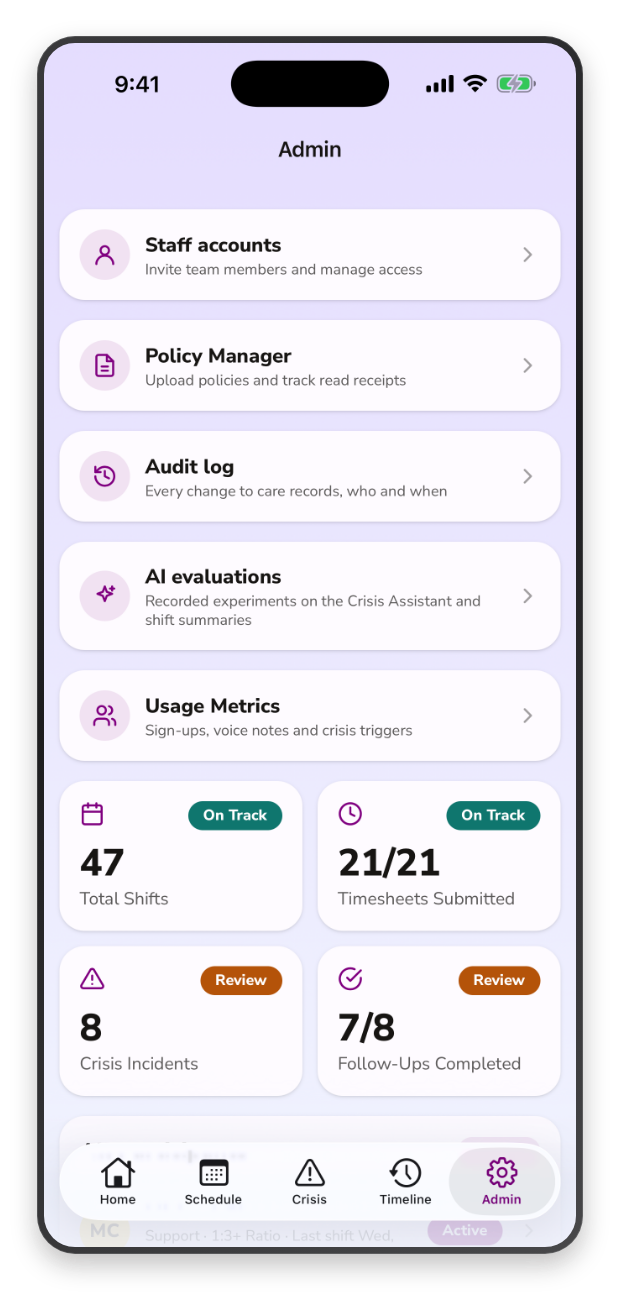
Step 8
Approval, Reporting & Integration
Experience a more connected approach to mental health support
Book a demo to see how EnableCare 360 supports participants, providers, and organisations in real-world care environments.
- NDIS Compliant
- 24/7 Australian support